AI-Assisted Music and Visual Production Workflow

Practice overview
In this personal creative project, I set the musical and visual direction and used AI collaboration to produce composition code, note data, electronic scores, and character and scene assets. I revised them through listening and viewing, from melody, harmony, and orchestration choices to rendering, mastering, depth-parallax animation, and audiovisual assembly. AI assisted generation and implementation; I made creative decisions, directed changes, and selected versions.
What I worked on
1. Composing with Pi Agent and building editable musical data
- Planning and selection: Through the Pi Agent coding agent, I used Anthropic Claude Opus 5.5 (
claude-opus-5-5) to collaborate on melody, harmony, form, orchestration, and composition code. Listening guided my choices and revision requests. - Composition code and timeline: AI-assisted code organized notes into multitrack MIDI and exported sections, measures, and onsets as structured data shared by notation, performance rendering, and animation.
- Note-level revision: Changes to timbre, figures, harmony, and voice arrangement were fed back into note data and notation, not confined to audio post-production. Language-model collaboration here was not one-click generation of a complete finished audio track.
2. Preparing the score and comparing orchestral listening renders
- Score preparation: The same note source generated MusicXML. I used MuseScore Studio 4.7.5 to organize parts, dynamics, articulation, and layout, with checks of measures, notes, and parts against MIDI.
- Performance rendering: Listening tests used MuseSounds, managed through MuseSounds Manager 2.2.1.953, for orchestral parts and Salamander Grand Piano V3 for piano.
- Comparison and adjustment: Codex (GPT-6) assisted timbre comparisons and checks of rendering and mixing, with Python and FFmpeg for audio processing. I evaluated quiet textures, legato transitions, articulation mapping, and balance, then directed specific changes.
3. Re-rendering and mastering the final audio in Suno Studio
I used Suno Studio’s v6 model to re-render the full track, add reverb for spatial depth, and complete mastering. MuseSounds supported orchestration decisions during composition and listening; Suno handled the final audio stage. They are distinct steps.
After selecting the final track, I replaced the audio in the chosen video while retaining the existing imagery. Notation-data consistency and a note-by-note comparison with final audio are different checks; this account does not use the former as evidence of the latter.
4. Producing character and scene assets, depth parallax, and local animation
- Image assets: I used GPT Image for character references, scenes, portraits, and blinking assets, with GPT-6 Sol organizing prompts and tool calls. The text model and image tool had separate roles.
- Depth and camera movement: Depth Anything V2 Small estimated scene depth; WebGL layer compositing and parallax added foreground–background separation and camera movement rather than only effects on a static image.
- Frame-by-frame motion: Code handled window lights, light trails outside train windows, small character movements and blinking, snow, sky lanterns, and fireworks.
- Prototypes and selection: I compared Stable Diffusion 1.5 with LCM-LoRA watercolor assets, p5.brush frame-by-frame drawing, and three.js 3D scenes. The selected approach combined generated images, depth parallax, and local animation; the 3D prototype was not used in the final version.
5. Scheduling visuals from note events and assembling the video
I used sections, measures, and onsets from the composition timeline to schedule lighting and other visual events, connecting melody and glockenspiel attacks to lighting changes and placing climactic visual events in the corresponding musical section. I also revised subtitles, on-screen dialogue, and camera pacing through viewing. The production note timeline and final audio replacement were recorded separately.
FFmpeg assembled 1920×1080, 30 fps H.264 video and 48 kHz stereo AAC audio into MP4. Checks covered complete decoding and file consistency before and after audio replacement.
6. Six specific creative revisions I made
- Reordered instrumental entrances in the introduction: Noise in quiet strings obscured the piano, so I revised entry order and dynamics to leave space at the opening and build texture gradually.
- Moved the transition melody to English horn: The solo cello sounded too heavy. I selected English horn instead, extended the note before the climax, and adjusted the diminuendo to improve the transition.
- Rewrote glockenspiel figures and ending articulations: Soft-mallet decay clashed with subsequent notes. I directed slower figures and more stable chord tones, and removed unnatural ending glissandi while retaining legato.
- Corrected visual movement: I added depth parallax, camera motion, and small character actions to static-looking scenes, and unified the direction of light trails outside train windows for continuity.
- Removed unnatural effects: I rejected the 3D prototype, removed scarf motion that clipped through the character, reduced blinking, and revised on-screen dialogue to four lines with adjusted display durations.
- Updated the final sound without remaking the visuals: I selected the Suno Studio re-rendered and mastered track, replaced the audio while retaining the chosen imagery, and kept music and image versions separate.
Workflow and limited excerpt

Visual-method illustration: generated separately with AI, sharing only a warm-interior and evening-city mood. This is not an original screenshot, character reference, or finished video asset.
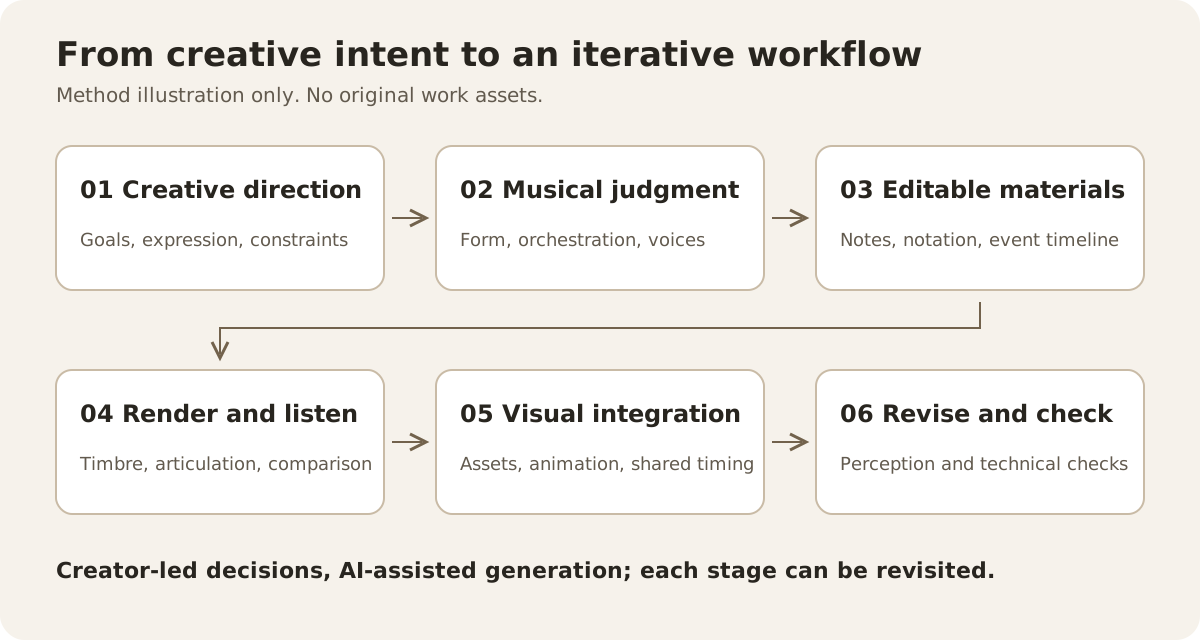
A generic production-workflow illustration, without original assets.
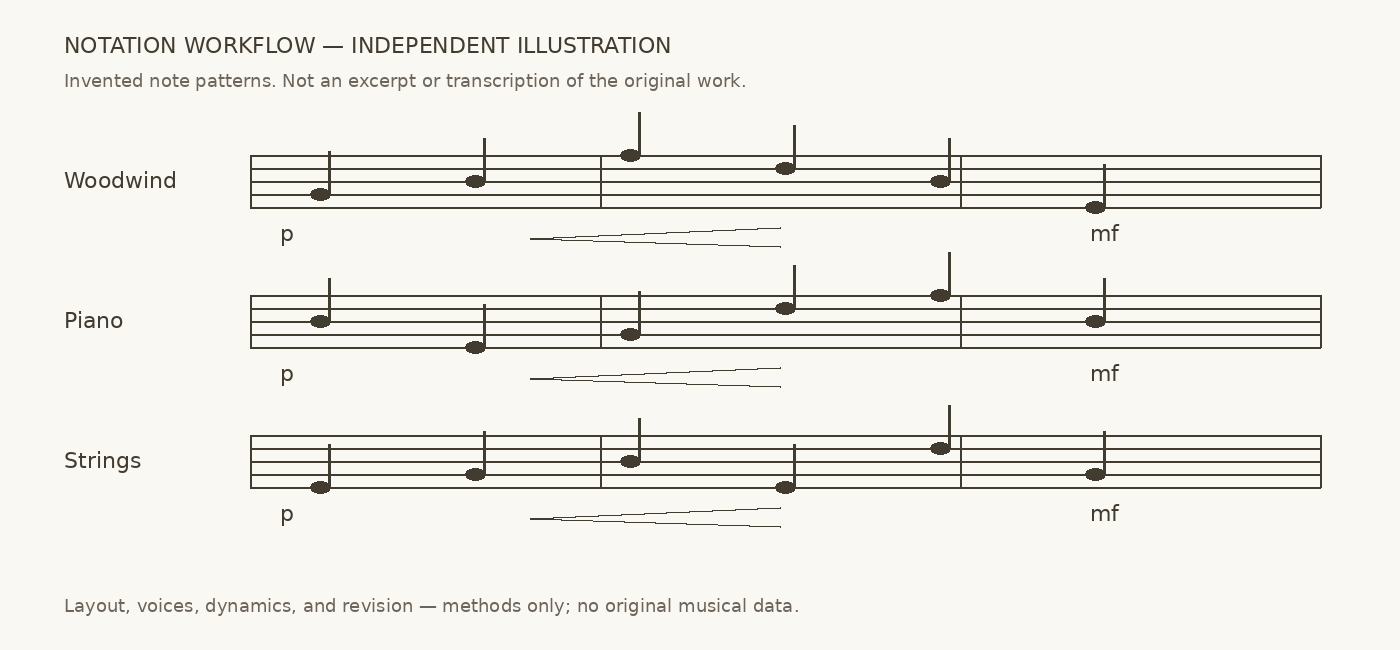
Notation-workflow illustration: notes and arrangement were independently designed. This is not an excerpt, actual score, or transcription of the final audio.
This page presents production work and independently made illustrations only. It does not disclose the work’s title, original notation excerpts, original imagery, full music, or video, and offers no downloads of the work or editable music files.
